

Giving network administrators clearer control over traffic management across their infrastructure.
TIMELINE
June - August 2024
ROLE
Product design intern
TEAM
SKILLS
Figma, Competitor Analysis, Prototyping, Wireframing
SUMMARY
I designed the Virtual Routing and Forwarding (VRF) functionality for the Meraki Dashboard from the ground up.
VRF is a feature most customers expect in their network architecture, and its absence was turning them away and costing Meraki deals. Over my internship, I worked with a cross-functional team to define the problem, explore concepts, iterate on designs, and deliver high-fidelity interfaces with a working prototype.
Workshop Facilitation
Led a cross-functional Miro workshop that aligned the team on clear, persona-driven problem statements for each use case.
Competitive Analysis
Examined five leading competitors to identify where Meraki could match expectations, and where it could exceed them.
End-to-End Design
Took the work from early flows through high-fidelity designs and a functional prototype, with iterative reviews along the way.
BACKGROUND
A missing standard feature was costing Meraki customers.
VRF is an industry-standard feature network architects expect in their network architecture. Without it, the Meraki Dashboard was losing deals to competitors who already supported it.
PROBLEM DEFINITION
I ran a workshop with our product owner and engineer to ground the work in specific use cases rather than the feature in the abstract. Two problem statements set the direction:
VLAN & VRF Configuration
Users want to segment traffic entering the MX device for compliance and isolation, but can't, because VRFs aren't supported.
Routing
Users want to direct traffic to specific destinations, but VRF's isolated routing table forces workarounds like Auto VPN, route leaking, or BGP and OSPF.

The question to address became clear:
How might we empower network architects and implementers to seamlessly manage traffic segmentation and routing, while overcoming the limitations of VRF support?
EARLY CONCEPTS
I designed the flow for creating a VRF profile and reviewed each iteration with my senior designer and the team. Those reviews shaped the direction: the stepper layout gave way to a simpler full-page view, and a proposed bulk-deletion feature was cut once we realized it would confuse more than help.


KEY FEATURES

Adding & configuring a profile
Customize which columns are visible on the VRF profile table
Configure the profile name and route target
Prevent duplicate route targets by restricting ones already in use

Network & VLAN association
Quickly search for networks to associate with a profile
Block associations where a profile is already in use
Filter to show only available profiles
Confirm changes with a review step

Viewing associated VLAN drawers
See all associated VLANs in one organized view
Jump to networks for network-wide VLAN changes
Jump to organization groups for org-wide adjustments

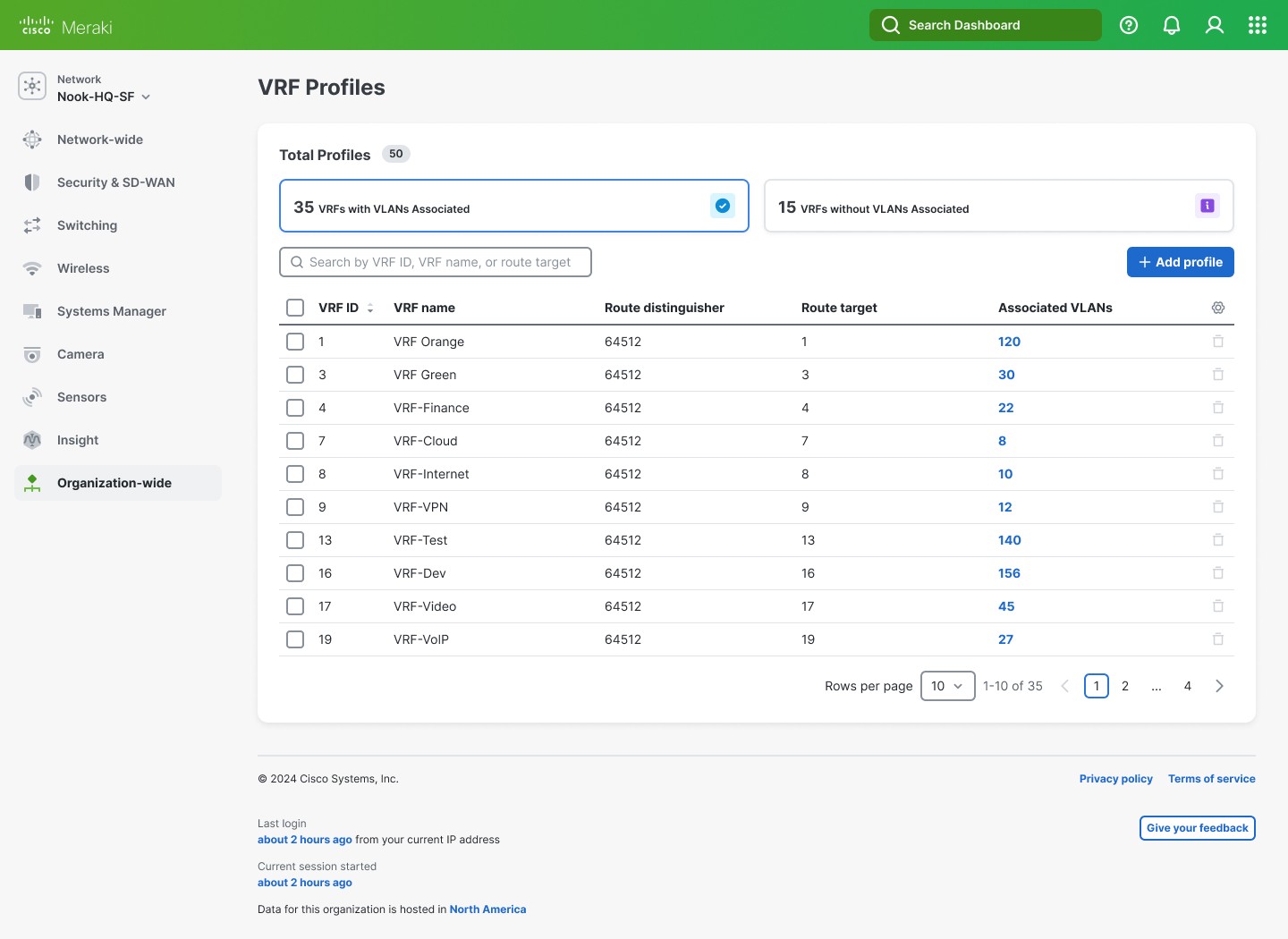
Filtering the profile table
Filter by profiles with or without VLAN associations using container cards
Guide brown-field users with a banner on associating VLANs
NEXT STEPS
VRF is a major addition to the Meraki Dashboard, so there's plenty beyond my internship. My designs set the groundwork for what comes next.
Editing the VRF profile flow: Let users edit profile details and make changes as needed.
Disassociating VLANs: Allow removing VLAN associations from networks or org-wide policies, for non-default profiles, at individual or larger scale.
Additional features: Address future flaws and additions as the product goes through reviews.
Design system review: Submit to the Magnetic design system team to meet requirements and WCAG accessibility guidelines.
TAKEAWAYS
This internship project was like solving a puzzle.
It started with seeing the big picture, then gathering my pieces. Placing the corner pieces meant getting a clearer sense of the product, and from there it was experimenting with approaches until everything fit into a polished result. Some big takeaways:
Make time to explore creative directions
I want to carve out more space to experiment with innovative design approaches, not just converge on the first workable one.
Ask questions more often.
It's always better to seek clarification than to stay quiet and uncertain. Asking early kept me moving and grounded my decisions.
